Paul L Herrman
    Sierra Vista, Arizona USA (DM41um)
    Solar Data and HF Propagation
    n0nbh@n0nbh.com

                                                         
Do not use HTML code from translated pages.
Online MOF/LOF HF Prediction Tool Online Conversion Tools (SFI, SSN, K-Index, nT, signal noise, geomag field Understanding Solar Indicies and Flux values impact to HF propagation Current HF Propagation Maps Current f0f2 Critical Freq, T-Index, and HF Fade Maps Current MUF, Absorption, F2 Height, and Solar Angle Maps Current Solar Images and Space Weather Current Space Conditions, Data and Indices Add Solar-Terrestrial Data to your website/webpage Add Solar-Terrestrial Data to your XP Desktop as a gadget Add Solar-Terrestrial Data to your Vista/7 Desktop as a gadget Add Solar-Terrestrial Data to your iPod or iPhone Add Solar-Terrestrial Data to your BlackBerry Get Solar-Terrestrial Data XML or RSS Feeds

If you can afford it, please consider a donation to my websites.......click to read more
Solar Data/Propagation
Click to add to your website


Online Links and Favorites


QRZ Callsign Lookup:
  

Other Solar Data Sources
Of course I think my Solar banner(s) are the best, but there are other free sources available. You choose which one you like the best.

  • Julian (G4ILO) offers an html panel (WebProp) with SSN, flux, Indicies, and band conditions.
  • Patrick (N0HR) offers a solar panel (PropagationStats) with flux, Indicies, and warnings.

Misc Ham

Clipart Favorites NASA/JPL Favorites


Online Maximum & Lowest Observed Frequency (MOF & LOF) HF Propagation Prediction Tool

  • For 3,000 kilometer radio signal single hop paths (Courtesy of K1TTT)
  • Just click "NOW" as all settings (including location) are auto-populated using the current NOAA solar data indices.
    • I resolve and populate your coordinates using your IP address. If not correct, just click your QTH location on map then click "NOW".
  • Select desired mode/map/overlays. Key shows bands.
  • Click "Next Hour" to advance, or enter desired UTC Date & Time, estimated SF/K/A Index, then click "Compute" for future predictions.
UTC: 

Online Solar Terrestrial Data Converters

Online Sunspot Number (SSN)/Solar Flux Index (SFI) Converter

  • Converts SSN to SFI, or SFI to SSN. Useful for those programs that require one value, and you only have the other. Also fun to play around with!
  • Remember, you are using a measured or observed value to calculate the other using a recognized formula, so the result most likely will not match the other measured value. The solar panel only uses measured/observed values from NOAA.
SFI
(64-300)
SSN
(0-250)

Online K-Index/K-Measurement Unit (nT)/Signal Noise Level/Geomagnetic Field Converter

  • Converts K-Index (from 0-9) to the K-Measurement Unit (in nanoTesla or nT) range, the expected HF signal noise level range in "S" units/dB, and the current Geomagnetic Field state
  • You can also enter a specific K-nT value (from 0-999), or specific signal noise level in "S"/dB (0-60), or Geomagnetic Field of Quiet, UNSET, Active, or Storm (any case) to get the other values/ranges.
  • Great for figuring out how noisy the bands are
K-Index
(0-9)
K-nT
(0-999)
Sig Noise
(0-60)
GeoMag Field
(Quiet|UNSET|
Active|Storm)

Online Aurora Activity/K-Index/Latitude Converter

  • Converts specific Aurora Activity (from 1-10++) to the calculated K-Index (from 0-9), and to the lowest Latitude (North or South Hemisphere) range in Ks that you can expect Auroral activity (either visual or radio frequency)
  • You can also enter a specific calculated K-Index (from 0-9), or specific latitude in "°"/Ks (40-90) to get the other values/ranges.
  • Great for figuring out when to get outside and look for the northern lights or work VHF Aurora at your location
Aurora
(0-10|
10+|10++)
K-Index
(0-9)
Latitude°
(40-90)

Understanding/Using the Data and Images from the Sun

Understanding/Using Solar-Terrestrial Data from the Solar Data Panel(s)

  • Most of us understand the impacts of Solar Flux/Sun Spots have on HF communications, but some are unsure about the remaining data provided in the panel.
  • I have created an easy to understand abbreviated table below that provides HF Propagation conditions based on the current Solar-Terrestrial Data. Factors provided include background X-Ray, Proton Flux, and K index (including the nT measurement), Solar Flux Index (SFI), Sunspots (SSN), Electron Flux, and Aurora (includes Normalization factor (n) less than 2.0 = high confidence, greater than 2.0 = low confidence).
  • Because some items are better when high, and others low, I have color coded the blocks. Green is best contitions, yellow marginal, red unacceptable.
  • A printable page (best using landscape) is also provided for ease of use in the shack. This single page easy to understand table is a must for any HAM operator (with a memory as bad as mine has gotten).
Click for printable Solar events page

HF & VHF Propagation Conditions based on Current Solar-Terrestrial and other Data

Current Solar-Terrestrial Data Category Radio Blackouts
Use X-Ray
Solar Radiation Storms
Use Proton Flux
Geomagnetic Storms
Use K-Index/K-nT/Aurora
Band Openings
Use Solar Flux (SSN)
Electron Alert
Use Electron Flux
Extreme X20 (1 per cycle)
Complete HF blackout on entire sunlit side lasting hours
1.0e+06 (1 per cycle)
Complete HF blackout in polar regions
K=9 (nT=>500) [Aur=10++]
(4 per cycle)
HF impossible. Aurora to 40°. Noise S30+.
200-300 (SSN=160-250)
Reliable communications all bands up through 6m
>1.0e+03 Alert
Partial to complete HF blackout in polar regions
Severe X10 (8 per cycle)
HF blackout on most of sunlit side for 1 to 2 hours
1.0e+05 (3 per cycle)
Partial HF blackout in polar regions
K=8 (nT=330-500) [Aur=10+] (100 per cycle)
HF sporadic. Aurora to 45°. Noise S20-S30.
Strong X1 (175 per cycle)
Wide area HF blackout for about an hour on sunlit side
1.0e+04 (10 per cycle)
Degraded HF propagation in polar regions
K=7 (nT=200-330) [Aur=10]
(200 per cycle)
HF intermittent. Aurora to 50°. Noise S9-S20.
150-200 (SSN=105-160)
Excellent conditions all bands up through 10m w/6m openings
Moderate M5 (350 per cycle)
Limited HF blackout on sunlit side for tens of minutes
1.0e+03 (25 per cycle)
Small effects on HF in polar regions
K=6 (nT=120-200) [Aur=9]
(600 per cycle)
HF fade higher lats. Aurora to 55°. Noise S6-S9.
120-150 (SSN=70-105)
Fair to good conditions all bands up through 10m
<1.0e+03 Active
Degraded HF propagation in polar regions
Minor M1 (2000 per cycle)
Occasional loss of radio contact on sunlit side
1.0e+02 (50 per cycle)
Minor impacts on HF in polar regions
K=5 (nT=70-120) [Aur=8]
(1700 per cycle)
HF fade higher lats. Aurora to 56°. Noise S4-S6.
90-120 (SSN=35-70)
Fair conditions all bands up through 15m
<1.0e+02 Active
Minor impacts on HF in polar regions
Elevated C1 Moderate Flare
Low absorption of HF signals
1.0e+01 Active
Very minor impacts on HF in polar regions
K=3-4 (nT=20-70) [Aur=6-7] Unsettled/Active
Minor HF fade higher lats. Aurora 60-58°. Noise S2-S3.
70-90 (SSN=10-35)
Poor to fair conditions all bands up through 20m
<1.0e+01 Normal
No impacts on HF
Normal A1-B9 No/Small Flare
No or very minor impact to HF signals
1.0e+00 Normal
No impacts on HF
K=0-2 (nT=0-20) [Aur=<5] Inactive/Quiet
No impacts on HF. Aurora 67-62°. Noise S0-S2.
64-70 (SSN=0-10)
Bands above 40m unusable
<1.0e+00 Normal
No impacts on HF
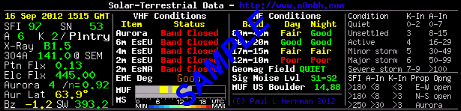
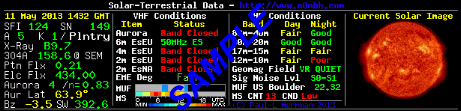
VHF Conditions
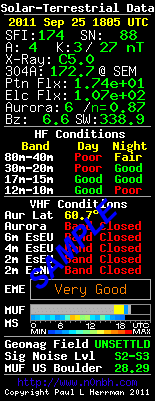
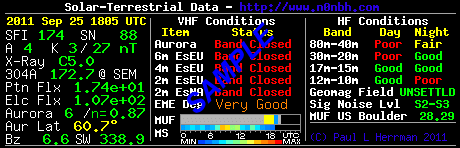
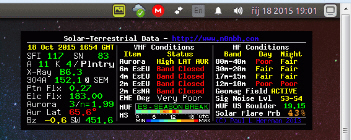
 Aurora (Northern Auroral Activity): Band Closed = No/Low Auroral activity. High LAT AUR = Auroral activity >60°N. MID LAT AUR = Auroral activity 60° to 30°N.
 Aur Lat (Auroral Latitude): Indicates lowest latitude from the current Aurora Activity measurement. Text color coded for low activity, hi-latitude, & mid-latitude.
 EsEU (Sporadic E - Europe): Band Closed = No Sporadic E activity. High MUF = Sporadic E reported >40 MHz. 144MHz ES = Sporadic E reported >140 MHz.
 EsNA (Sporadic E - North America): Band Closed = No Sporadic E activity. High MUF = Sporadic E reported >40 MHz. 144MHz ES = Sporadic E reported >140 MHz.
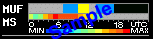
 MUF (Sporadic E Max usable Frequency Bar): Gray Bar = No Sporadic E activity. YEL Bar = Sporadic E reported >40 MHz. RED Bar = Sporadic E reported >140 MHz.
 MS (Meteor Scatter Bar): Use color code below bar to determine relative activity.
©N0NBH Paul L Herrman 2010

Understanding HF/VHF/UHF/SHF Propagation releative to Guided Wave, Ground Wave, Direct Wave, Ionosphere, Troposphere, Aurora, Meteor Scatter, and Earth-Moon-Earth (EME or Moon Bounce)

  • OK ,the instructor profession in me comes out. The images provided are my attempt at describing how solar/weather/auroral/meteor/EME conditions impact VLF/LF/MF/HF/VHF/UHF/SHF propagation.
  • Each selectable item below is a complete tutorial on the subject, each on a single image, and in easy to understand terms.
  • Select desired plot from box. Page refresh updates all images at once.


Understanding the Solar Images that are available in the Solar Data Panels

  • Other than just choosing your favorite color for the image displayed in the Solar data panel, what are we actually seeing when we observe the various solar images?
   
  • Select "Parts of the Sun" image from the choices above, and use the table below that shows each image that you can display in the image solar panels, with an explanation of each of the spectral lines (elements) and characteristics.
Image Å
nm
image
Spectral Line & Ionization TempK
TempºC
TempºF
Best used to see Image Å
nm
image
Spectral Line & Ionization TempK
TempºC
TempºF
Best used to see
171 Å
17.1 nm
eit171
Iron (Fe)
8-9 times ionized
1,000,000K
999,727ºC
1,799,540ºF
Transition-region, sunspots, low temperature loops 195 Å
19.5 nm
eit195
Iron (Fe)
11 times ionized
1,500,000K
1,499,727ºC
2,699,540ºF
Transition-region, sunspots, corona, flares
284 Å
28.4 nm
eit284
Iron (Fe)
14 times ionized
2,000,000K
1,999,727ºC
3,599,540ºF
Transition-region, sunspots, corona, high temperature loops 304 Å
30.4 nm
eit304
Helium (He)
1 times ionized
80,000K
79,727ºC
143,540ºF
Chromosphere, transition-region, Prominence, sunspots, Granules
6302 Å
630.2 nm
vsm1
Iron (Fe)
0 times ionized
5,800K
5,527ºC
9,980ºF
Photosphere, sunspots 8542 Å
854.2 nm
vsm2
Calcium (Ca)
1 times ionized
10,000K
9,727ºC
17,540ºF
Photosphere, Chromosphere, sunspots
6562.8 Å
656.28nm
sh
Hydrogen (H) Hα-Line 20,000K
19,727ºC
35,540ºF
Chromosphere, transition-region, sunspots, flares 9500 Å
950 nm
corona
White Light 2,000,000K
1,999,727ºC
3,599,540ºF
Corona
NA
NA
c2
White Light 2,000,000K
1,999,727ºC
3,599,540ºF
Corona, CME, Flare NA
NA
c3
White Light 2,000,000K
1,999,727ºC
3,599,540ºF
Corona, CME, Flare
6767 Å
676.7 nm
mdi
Nickel (Ni)
0 times ionized
6,000K
5727ºC
10,340ºF
Photosphere, sunspots Magnetogram
N/A
mag
N/A
N/A
N/A
N/A
N/A
Sunspots


©N0NBH Paul L Herrman 2010

Current HF Propagation Conditions

f0f2 Critical Frequency, T-Index, & HF Fade


Current Space Conditions (Solar Wind/Interplanetary Magnetic Field/Miscellaneous Dials) at Sun-Earth L1 Point

  • Courtesy of Rice University
  • Select desired item from box. Page refresh updates all images at once.
  • On the dial background color schemes, green indicates that values in this range are unlikely to disturb the near-Earth space environment. Yellow indicates that values in this range may contribute to disturbances, and Red indicates that values in this range are likely to drive disturbances. This scheme is valid for all dials except the "Log[Beta]" dial
  • .
Solar Wind Interplanetary Magnetic Field Miscellaneous


Maximum Usable Frequency (MUF), 5-30MHz Absorption, F2 Height, and Solar Angles


Current Solar Images, Space Weather, and Aurora

  • Courtesy of SOHO NASA
  • All space and solar related data and images update every 60 minutes.
  • Just click on the link below the image to open the corresponding animated gif or mpg file (mpgs are smaller) to show the image in elapsed time. The gif files are LARGE - some 30M - but are pretty cool looking.

Current_eit_195 Current_c2 Current_eit_284 Current_c3
Animated gif Animated gif Animated gif Animated gif
Movie mpg Movie mpg Movie mpg Movie mpg

Current Solar Wind   Current Northern Auroral   Current Southern Auroral
Click for Solar Wind page   Click for Pmap page    Click for Pmap page


Current Space Conditions

  • Courtesy of SWPC NOAA
  • Select desired plot from box. Refresh page updates all images.
 

Displaying Solar-Terrestrial Data Panels on your site, computer, or other personal device

Add Solar-Terrestrial Data to your Website

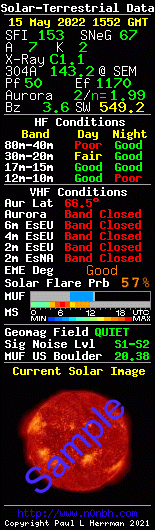
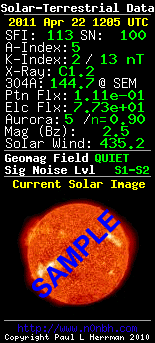
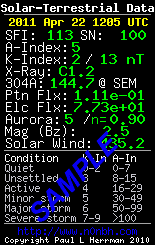
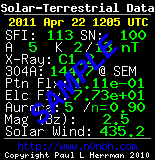
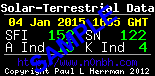
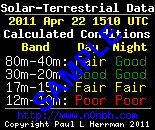
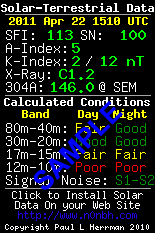
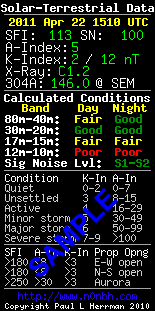
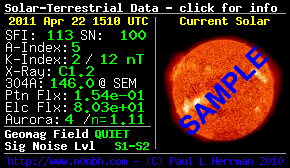
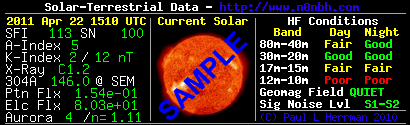
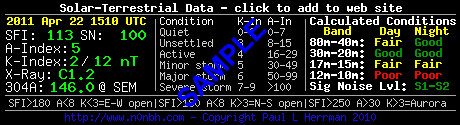
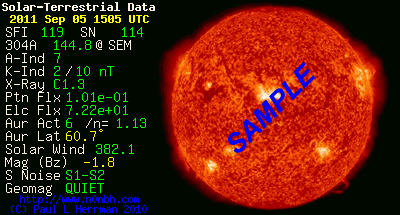
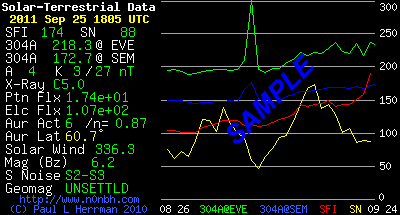
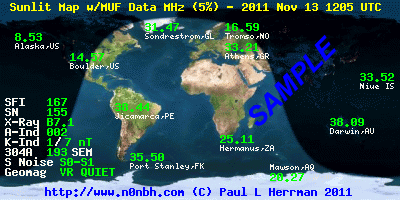
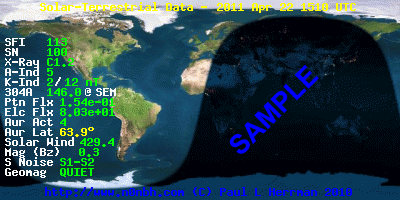
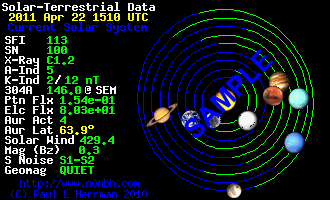
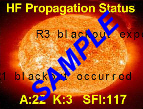
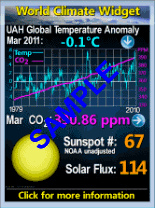
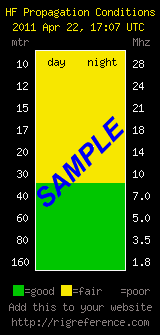
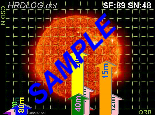
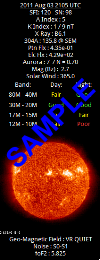
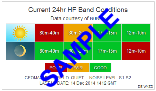
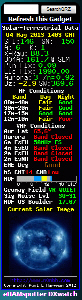
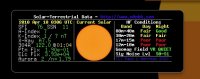
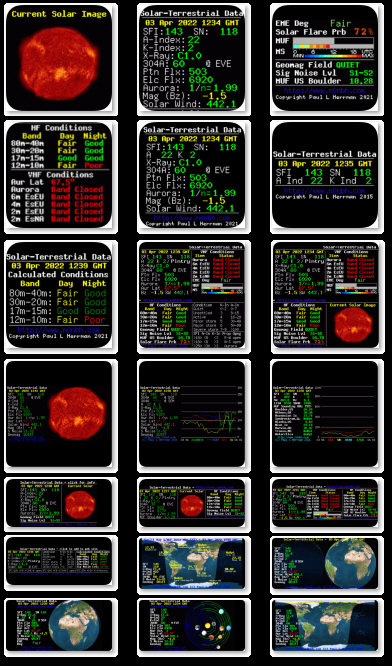
  • The solar image banner is available with 11 different current solar banners, two with VHF Openings, three with current solar images that are selectable, and two World Sunlight (one flat map and one globe). Four banners are available in four background colors and corresponding text colors, and also support transparent backgrounds. The four with VHF and solar images, and two current world sunlit items do not support background or transparent.
  • Cut and Paste the following html into your web page at the location you want the current Solar-Terrestrial Data to appear. There are a number of choices that select panels have, as indicated in the table below.
    • To select other than a non-transparent black background for those that indicate background and transparent, modify the php text as follows:
      • Choose a background color - available in black, orange, blue, or white (spelling and case important). Command is ?bgcolor=
      • Decide if you want the background transparent - remember you still have to choose a background color as the text is different (white text on a white background does not display). Command is ?back=transparent
      • Modify the php url. If you use both, you have to add a "&" to join the commands. So for example:
        • For a blue background non-transparent small vertical format (without index/SFI explainations), change "http://www.hamqsl.com/solar100sc.php" to "http://www.hamqsl.com/solar100sc.php?bgcolor=blue"
        • For a orange background (black static text and red dynamic text) transparent horizontal format, change "http://www.hamqsl.com/solar101sc.php" to "http://www.hamqsl.com/solar101sc.php?bgcolor=orange&back=transparent"
        • For a black background transparent large vertical format (with the index/SFI explainations), change "http://www.hamqsl.com/solar2.php" to "http://www.hamqsl.com/solar2.php?back=transparent"
    • To select the desired image you want (only available on the sun image panels), modify the php text as follows:
      • Choose a solar image (see the table above for more information about each image) if other than the default mdi (orange sun) image shown - available in eit171 (blue sun), eit195 (green sun), eit284 (gold sun), eit304 (red sun), vsm1 (B&W mag), vsm2 (red mag), sh (orange mag), corona (white light), c2 (LASCO white light), c3 (LASCO white light), mag (mdi mag), or mdi (mdi orange). Command is ?image=
      • Modify the php url. So for example:
        • For a vertical format blue sun , change "http://www.hamqsl.com/solarpic.php" to "http://www.hamqsl.com/solarpic.php?image=eit171"
        • For a horizontal format orange magnetic sun , change "http://www.hamqsl.com/solar101pic.php" to "http://www.hamqsl.com/solar101pic.php?image=sh"
  • Data is updated automatically from the NOAA website every 3 hours - you will need to refresh your web page to update
  • Image is a .gif file in the following sizes and data combinations:
    • Terrestrial data in small vertical format w/o band calculations is 3.8kb, 155 X 185
    • Terrestrial data in small vertical format is 4kb, 155 X 220
    • Terrestrial data in large vertical format is 5.6kb, 155 X 300
    • Terrestrial data in large vertical format with current solar image is 11.1kb, 155 X 319
    • Terrestrial data in large vertical format with both HF and VHF data is 5.2kb, 155 X 337. My thanks to DXrobot - Gouda for the VHF Aurora and sporadic E (Es) data, and also to Make More Miles on VHF for the MUF sporadic E and Meteor Scatter data. Data used with permission.
    • Terrestrial data in horizontal format with w/o band calculations and current solar image is 10kb, 290 X 168
    • Terrestrial data in horizontal format is 6kb, 460 X 125
    • Terrestrial data in horizontal format with current solar image is 15kb, 410 X 125
    • Terrestrial data in current world sunlit map format is 30kb, 400 X 200
    • Terrestrial data in current world sunlit globe format is 30kb, 400 X 200
  • Please do not change the code (free service will go away)
  • Refer to the HAMQSL FAQ Page or contact me if you have any questions.
  • Here is an outstanding 71 slide PowerPoint briefing by Charlie Christmann (K5CEC) for understanding the impacts that SpaceWeather has on HF propagation (in layman's terms so a normal person can actually understand it). The HAMQSL FAQ Page also has some information on how to use the lesser know data (such as X-Ray and Proton Flux). Also there is a good write-up on explaining the data in the banner in the May 09 addition of the WT4RA newsletter.

A FRIENDLY WARNING
First, I want to thank the majority of all the webmasters that use this data for not removing the link in the html code below. However, I am noticing a small but growing number of web pages that use this banner are removing the link back to www.hamqsl.com (yes I can see all the refering URLs on my server). I remind all of you that, unless to make arrangements with me (as a small number of sites have - including http://www.solarcycle24.com), the html in the box below is not to be modified to remove the link. I am trying to keep this free service free for all with no advertising. The link is there so others can use the data on their page - nothing more.

If you can afford it, please consider a donation.......click to read more
TYPE PANEL HTML CODE
No Band
Condition
Calculations
Large Vertical
Selectable
Solar Image
eit171,eit195,
eit284,eit304,
vsm1,vsm2,
sh,corona,c2,
c3,mag,mdi
Black Only
No Transparent
HF & VHF
Band
Condition
Calculations
Large Vertical
Black Only
No Transparent
No Band
Condition
Calculations
Small Vertical
Multi-Color
& Transparent
Band
Condition
Calculations
Small Vertical
Multi-Color
& Transparent
Band
Condition
Calculations
Large Vertical
Multi-Color
& Transparent
No Band
Condition
Calculations
Horizontal
Selectable
Solar Image
eit171,eit195,
eit284,eit304,
vsm1,vsm2,
sh,corona,c2,
c3,mag,mdi
Black Only
No Transparent
Band
Condition
Calculations
Horizontal
Selectable
Solar Image
eit171,eit195,
eit284,eit304,
vsm1,vsm2,
sh,corona,c2,
c3,mag,mdi
Black Only
No Transparent
HF & VHF
Band
Condition
Calculations
Horizontal
Black Only
No Transparent
Band
Condition
Calculations
Horizontal
Multi-Color
& Transparent
No Band
Condition
Calculations
Current World
Sunlight Map
No Color
No Transparent
No Band
Condition
Calculations
Current World
Sunlight Globe
No Color
No Transparent

Add Solar-Terrestrial Data to your Windows XP Desktop

Add Solar-Terrestrial Data to your Windows7/Vista Desktop

  • Special thanks to Kelly (K7MHI) for making the N0NBH gadget (the big one with solar data, HF conditions, VHF conditions, and solar image) that works with Windows7/Vista. The solar images are selectable as well. Click on this link and follow the download instructions.

Add Solar-Terrestrial Data to your Windows Vista Desktop

  • To place on your desktop:
    • Click one of the following links to download the desired self extracting executable file
    • When prompted save to your hard drive
    • When prompted click "run", or open the Solardata.exe in My Computer
    • When prompted browse to your "C" drive. Note that the files need to be placed in the following path: C:\Program Files\Windows Sidebar\Gadgets in the Solardata.Gadget (small) or Solardata1.Gadget (large) folder. If you select the C Drive, the executable should place in the proper location and make the new folders. You will need administrator permissions to do this!
    • Close the window, and select your Gadgets
    • Grab the "Solar Data" icon and move to your sidebar. The Solar-Data panel should be displayed on your sidebar.
  • The panel reloads every hour so the 3-hour update will be displayed.
  • Email me with any problems you may encounter.

Add Solar-Terrestrial Data to your iPhone or iPod

  • Special thanks to Paul Picazo (KI6KIK) for making a couple of applications that will run on your iPhone or iPod.
       
  • The links above are used just like a normal hyperlink for iPhone / iPod touch users on their desktops to find the application.
  • Paul is using the same exact data I am using for the stickers and gadgets, so it updates every 3-hours as well.
  • Partial screenshot is shown at right, for both the iphone and google phone applications.

Add Solar-Terrestrial Data to your BlackBerry

  • To place on the main page of your BlackBerry:
    • ON YOUR BLACKBERRY, download the following programs from http://m.jonathanhfisher.co.uk/webshortcuts/. You will get a prompt saying the application was downloaded. Click OK (not RUN) on both downloads.
      • Shortcut hub utility
      • Web shortcut 1
    • Open the “shortcut hub utility” from your blackberry
    • Enter the follow data under “Shortcut 1 Config:
      • Title: Solar HF/Propagation
      • Site: http://www.hamqsl.com/solargadget.php (for the small vertical panel) or http://www.hamqsl.com/solargadget1.php (for the large vertical panel)
      • Icon: http://www.hamqsl.com/bbicon.png
    • Press the Back key and select save
    • Open the generic “web shortcut 1” icon
    • You will most likely get a permissions window. Under “Don’t ask again for:” you need to select “file connections to….” (not the all file connections) then select “Allow this connection”
    • Repeat this as many times as necessary (usually 3-4) for all the files.
    • You will see a “download icons” progress bar, then the banner should be displayed.
    • Press the back arrow until your main screen is displayed and verify the new solar icon is there. Click on it to display the banner.
    • Highlight the “shortcut hub utility” icon and select “hide” (you don't need to see this anymore-but it has to remain on the BB).
  • The panel reloads every time you select it - no auto refresh.
  • Email me with any problems you may encounter.

Solar-Terrestrial Data XML or RSS Feeds

  • I recognize that a lot of you would like to create your own solar terestrial related web information. So, to make it easier, I am offering the data in XML and RSS format. Please be aware, these feeds will last as long as I do not hear grief from my ISP provider. If I do they are gone!! So please only select to update every hour - that is the update period for the flux parameters (rest are 3-hour updates). Credit to HAMQSL.com would be appreciated.
  • Click to subscribe to an XML feed of the current Solar-Terrestrial Data
  • Click to subscribe to an RSS feed of the current Solar-Terrestrial Data
If you can afford it, please consider a donation to help keep these items available.......click to read more
Worldwide HAM Radio QSL Website


Page Visits since 01 Jan 2010:  


Online MOF/LOF HF Prediction Tool Online Conversion Tools (SFI, SSN, K-Index, nT, signal noise, geomag field Understanding Solar Indicies and Flux values impact to HF propagation Current HF Propagation Maps Current f0f2 Critical Freq, T-Index, and HF Fade Maps Current MUF, Absorption, F2 Height, and Solar Angle Maps Current Solar Images and Space Weather Current Space Conditions, Data and Indices Add Solar-Terrestrial Data to your website/webpage Add Solar-Terrestrial Data to your XP Desktop as a gadget Add Solar-Terrestrial Data to your Vista/7 Desktop as a gadget Add Solar-Terrestrial Data to your iPod or iPhone Add Solar-Terrestrial Data to your BlackBerry Get Solar-Terrestrial Data XML or RSS Feeds

73 all, de Paul N0NBH

7 Feb 2010

This site is © Copyright Paul L Herrman 2004-2010, All Rights Reserved.
Free web templates